Import, export and recover your work
You can move your plans out of the browser whenever you like. Export a single roadmap for editing or a complete workspace backup to preserve history and reusable templates.
Export one roadmap
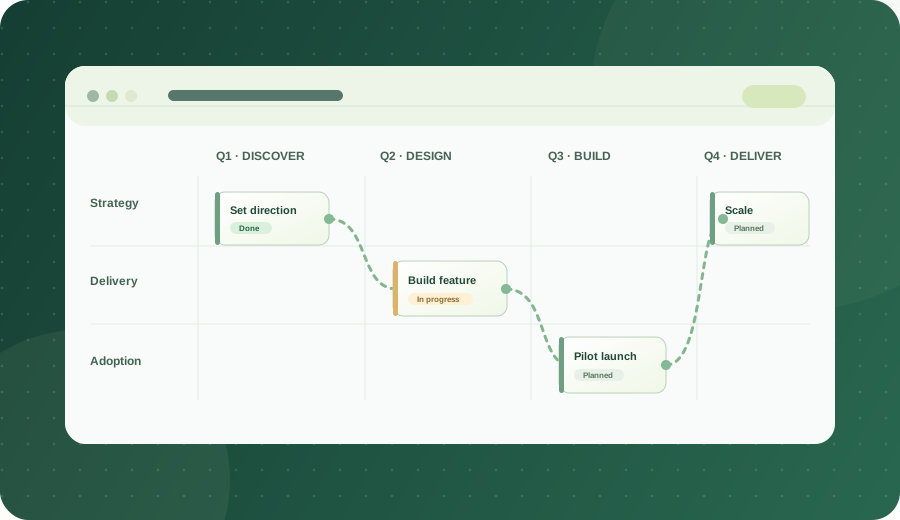
Open a plan, choose Markdown or CSV beside Export, then select Export. Both formats preserve the roadmap structure and dependency links. The Markdown export contains a human-readable summary plus a structured JSON restore block. The CSV uses rows for settings, workstreams and activities.
Import one roadmap
Open the destination plan, choose Import roadmap and select a supported Markdown or CSV file. The app validates it before asking to replace the current roadmap. Export the current plan first if you want to keep it.
Back up the whole workspace
- Open Data backup in the sidebar.
- Export Markdown or CSV. Save the backup in a secure location.
- To restore, select the file. Review the validated counts of plans, templates and history.
- Choose Add or Replace. Replace downloads a safety backup first. Imported records get new identifiers to avoid collisions.
Export visuals
Use Export image to download an SVG roadmap or Print / PDF to print a layout from your browser. Published roadmaps also include a print option.
Use the industry examples
Each example includes JSON, Markdown and CSV files. Chemistry, Energy, Manufacturing and Power Platform examples are illustrative, not forecasts or compliance guidance.
For developers and agents
See the roadmap JSON Schema, agent data guide and machine-readable examples catalog. The GitHub repository welcomes documentation fixes and additional examples.